
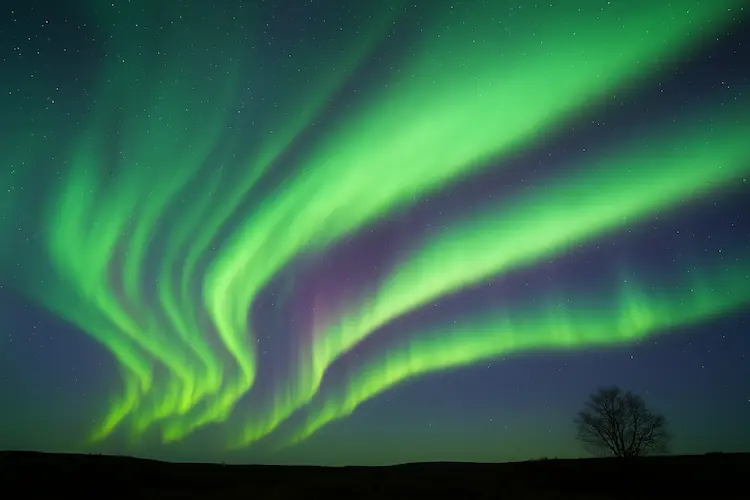
How to Capture the Northern Lights on Your Phone — Easy Guide for Stunning Results
If you missed the breathtaking northern lights that lit up the U.S. last night, you might get another opportunity to witness the aurora on November 14, as another geomagnetic storm is forecast to reach Earth around mid-day, according to NOAA’s Space Weather Prediction Center.
People across the country — even in southern states like Texas and Florida — reported seeing the aurora due to unusually strong solar activity on November 13. Naturally, anyone lucky enough to spot the lights wants to capture the moment. The good news? You don’t need a DSLR or expensive gear. Modern smartphones are powerful enough to capture amazing aurora photos.
Here’s a complete guide to help you take the best northern lights photos using your phone.
How to Take the Best Smartphone Photos of the Northern Lights
In 2024, Brent Gordon, Chief of NOAA’s Space Weather Services, said that a smartphone can sometimes capture the aurora better than the human eye.
According to the aurora-tracking app Hello Aurora, these tips will help you shoot sharp and vibrant photos:
1. Use a Tripod or Phone Stand
A stable phone is essential. Even slight movement can blur your photo, especially during long exposure.
2. Turn On Night Mode
Most modern iPhones automatically switch to night mode.
Android users may need to select “Night,” “Low Light,” or a similar mode manually.
3. Adjust Camera Settings (Manual / Pro Mode)
For better control, enable Manual or Pro Mode:
- ISO: Start between 800–1600. Increase if the aurora is faint.
(Higher ISO may increase grain/noise.) - Shutter Speed: Set between 5–15 seconds to capture smooth movement of the lights.
- Focus: Manually tap on the brightest point in the sky to focus properly.
- Flash: Keep it OFF – it will ruin the natural glow.
4. Use a Timer or Remote Shutter
A 3–10 second timer ensures the phone stays perfectly still when snapping the shot.
Where and When to See the Northern Lights?
Timing and location matter just as much as camera settings.
- The aurora is not visible during daylight.
- Best viewing times are: Just after sunset or just before sunrise,
and especially within one to two hours around midnight. - Find a location with a clear north-facing view — ideally on a hilltop or open field.
- The closer you are to the North Magnetic Pole (near northern Canada), the higher your chances of seeing a strong aurora display.






Leave a Reply